Quotes
A quote in the browser and as a PDF. The client accepts it with one click.
- You see
- when the client opened the quote
- Connects with
- contracts, invoices, email
- Runs
- in our console and in a vehicle dealer's CRM
Jobs, quotes and contracts, bookings, chat, video meetings and event check-in, with your company's names, fields and rules. We design and write it ourselves, and after launch we stay on to look after it.
First version in 2–6 weeks. We reply within 24 hours.
// app/jobs/page.tsx · the screen a manager opens first thing in the morning
export default async function Jobs({ search }: Props) {
  const company = await companyFromSession()
  const [kpi, stages] = await Promise.all([stats(company), board(company, search)])

  return (
    <Screen title="Jobs" actions={[<Filters />, <Export format="xlsx" />, <New />]}>
      <Tiles>
        <Tile label="Open" value={kpi.open} change={kpi.week} />
        <Tile label="In progress" value={kpi.inProgress} />
        <Tile label="Ready for handover" value={kpi.forHandover} alarm={kpi.overdue} />
        <Tile label="Lead time" value={days(kpi.avgTime)} chart={kpi.weeks} />
      </Tiles>
      <Board stages={['new', 'quote', 'in_progress', 'handover']} data={stages}
        onMove={async (j, stage) => {
          await jobs.move(j.id, stage)                  // saved and logged
          if (stage === 'quote') await quotes.prepare(j) // draft quote from the price list
          notify(j.owner, `${j.number} moved to ${stage}`)
        }}>
        {(j) => <Card number={j.number} title={j.title} client={j.client.name} progress={j.progress} />}
      </Board>
    </Screen>
  )
}

-- stats.sql · the database counts, not the browser
select count(*) filter (where stage in ('new', 'quote')) as open,
       count(*) filter (where stage = 'in_progress')    as in_progress
  from jobs where company_id = $1;
// app/quotes/[number]/page.tsx · the quote your client opens in the browser
export default async function Quote({ number }: Props) {
  const quote = await quotes.get(number)              // OF/2026/118
  await quotes.logOpen(quote, headers())              // you see when the client opened it

  return (
    <Document brand={quote.company.brand} validUntil={quote.validUntil} pdf>
      <Header number={quote.number} client={quote.client} />
      <Options
        choices={quote.options}
        selected={quote.option}
        onSelect={(o) => quotes.recalculate(quote.id, o)} />
      <Items data={quote.items} timeline />
      <Acceptance
        onAccept={async (who) => {
          await quotes.accept(quote.id, who)           // who, when, from which address
          await contracts.prepare(quote)               // draft contract from this quote
          notify(quote.owner, `${quote.number} accepted`)
        }} />
    </Document>
  )
}

// versions: every price change stays in the quote history
export const versions = (id: string) => db.quotes.history(id, { fields: ['items', 'options'] })
// chat/channel.ts · the conversation sits with the job, not in five messengers
export async function send(channel: Channel, from: Person, text: string, files: File[] = []) {
  const message = await db.messages.add({
    channel: channel.id, from: from.id, text,
    files: await Promise.all(files.map((f) => storage.save(f, { channel: channel.id }))),
  })

  channel.members
    .filter((m) => m.id !== from.id)
    .forEach((m) => notify(m, {
      title: `${from.name} in #${channel.name}`,
      text: excerpt(text, 80),
      via: m.online ? 'app' : 'email',              // anyone outside the app gets an email
    }))

  if (channel.job) await log.entry(channel.job, `message from ${from.name}`)
  return message
}

// search message text and file names, old threads included
export const search = (phrase: string) =>
  db.messages.search(phrase, { fields: ['text', 'files.name'], limit: 50 })

// a job channel sets itself up, together with the new job and its team
export const jobChannel = (j: Job) => channels.create({ name: j.number, members: j.team })
// checkin/scan.ts · guest entry with the QR code from the invitation
export async function scan(code: string, desk: Desk) {
  const guest = await guests.byCode(code)
  if (!guest) return { state: 'unknown', message: 'Code not on the guest list' }
  if (guest.checkedIn) return { state: 'seen', message: `Checked in at ${hour(guest.checkedIn)}` }

  await guests.checkIn(guest.id, { desk: desk.id, at: now() })
  counter.increment(desk.event)                     // the same counter on every desk
  if (guest.vip) notify(desk.event.owner, `${guest.surname} has arrived`)
  if (guest.badge) printer.print(badge(guest))

  return { state: 'ok', guest, table: guest.table }
}

// guest list from the invitations, refreshed live
export const list = (event: Event) =>
  guests.live(event.id, { sort: 'surname', fields: ['table', 'vip', 'checkedIn'] })

// the "Hand out" button on a desk: badge or pack, straight into the stats
export async function handOut(guest: Guest, item: 'badge' | 'pack', desk: Desk) {
  await guests.handedOut(guest.id, item, { desk: desk.id, at: now() })
  return stats.recalculate(guest.event)     // people in total, employees, companions, children
}

// entries per hour, for the chart next to the list
export const entries = (event: Event) => guests.count(event.id, { groupBy: 'hour' })
We don't sell ready-made software and we don't configure someone else's. We write our own code around your company's processes, with your names, fields and rules. We start with modules that are already in use. That is why the first version is ready in weeks, and your system will still be unlike anyone else's, because it grows out of the way you work.
This is our experience, not an off-the-shelf product. Every one of these modules is already running somewhere, and in your system it gets your names, fields and rules.
A quote in the browser and as a PDF. The client accepts it with one click.
A contract from a template in a minute. Client and quote details fill themselves in.
Team and client conversations stay with the job, not spread across five messaging apps.
Video in the browser, nothing to install. After the call, AI writes up what was agreed and adds it to the project.
Guest list and entries across several desks at once, with a live counter.
You ask about your company data in a plain sentence. The answer comes from your own system.
We do not name clients or show their data. We describe the industry and what the system does. The screens are recreated with sample data.
01Trailer rental
Trailer availability, bookings, signed handover and return reports with PDFs, contracts and a daily plan for the team. The company website pulls the catalogue straight from the panel, in Polish and English.
bookings · handover reports · contracts · catalogue on the website
02Commercial vehicle sales
A campaign page with a counter of units still available and a form that fills in the company details from the tax number (NIP) on its own. The enquiry lands in a CRM with stages, the salesperson gets a WhatsApp notification, and the online quote shows a map of where the client clicks.
campaigns · CRM · notifications · online quotes
03Irrigation systems
You upload a photo or a map of the plot and draw its boundaries. The tool places the sprinklers itself, works out the pressure drop and shows where the water will not reach. At the end you get a materials list and the design as a PDF.
drawing · automatic layout · hydraulics · materials list
04Our own tool · server maintenance
It shows live who the servers are blocking and where attacks come from. It checks domains against the CERT Polska warning list and produces a website audit as a PDF. We sign in to it with a hardware key.
live blocks · attack map · audits · hardware key
05Our studio
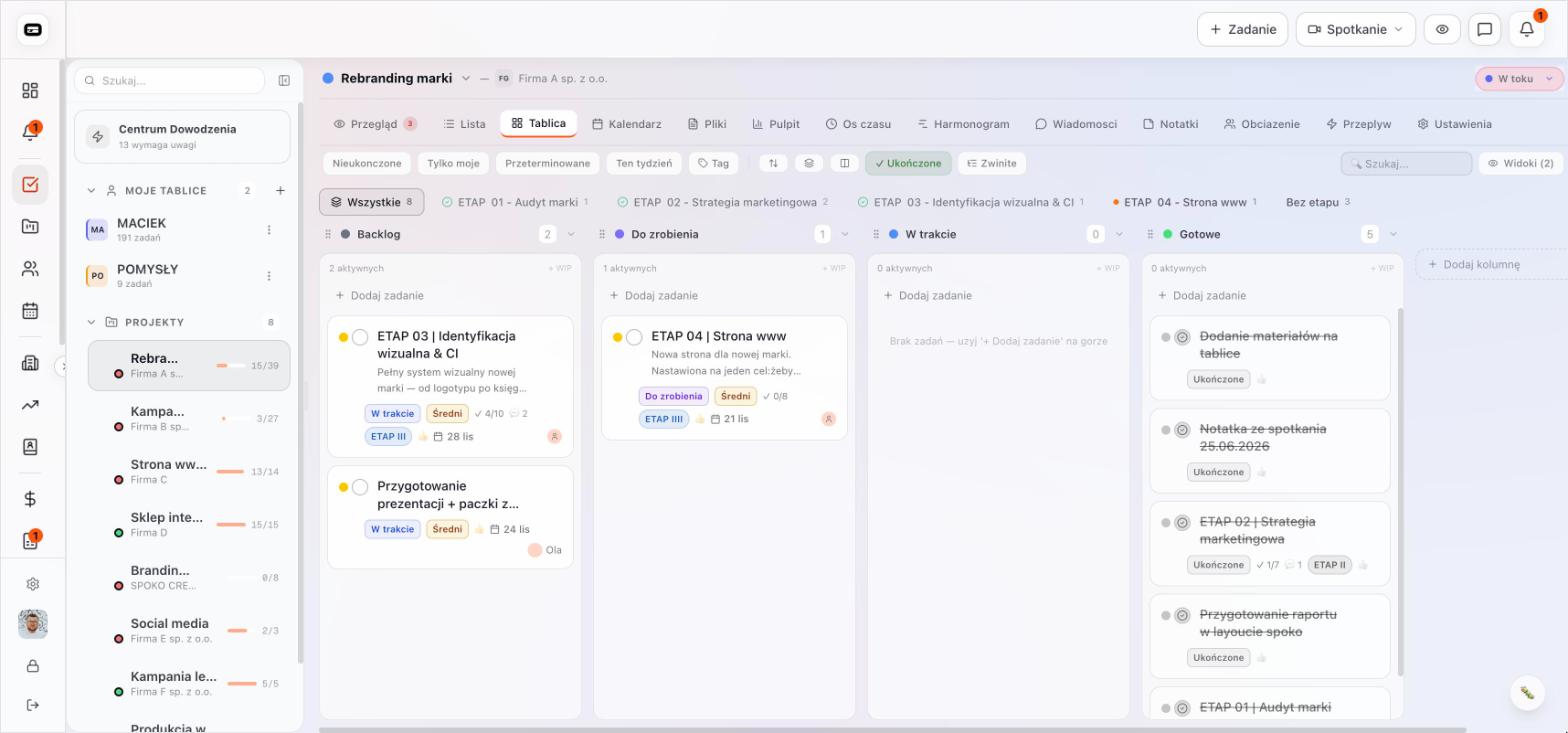
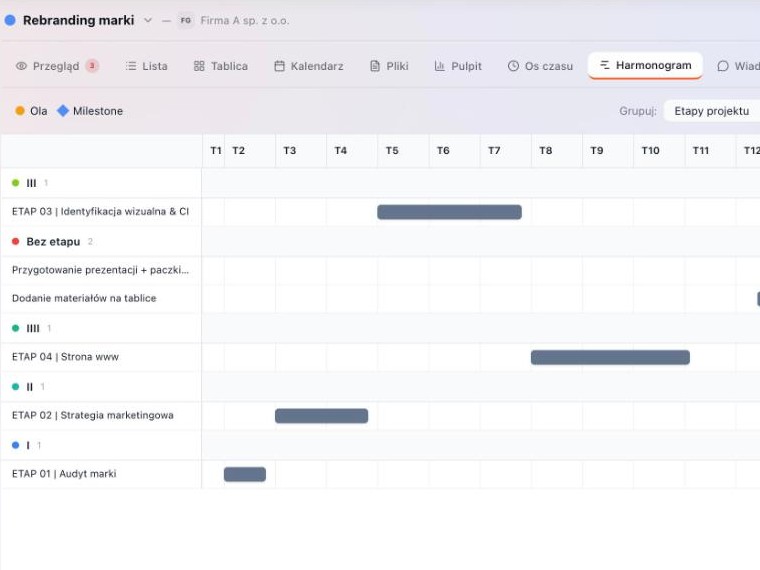
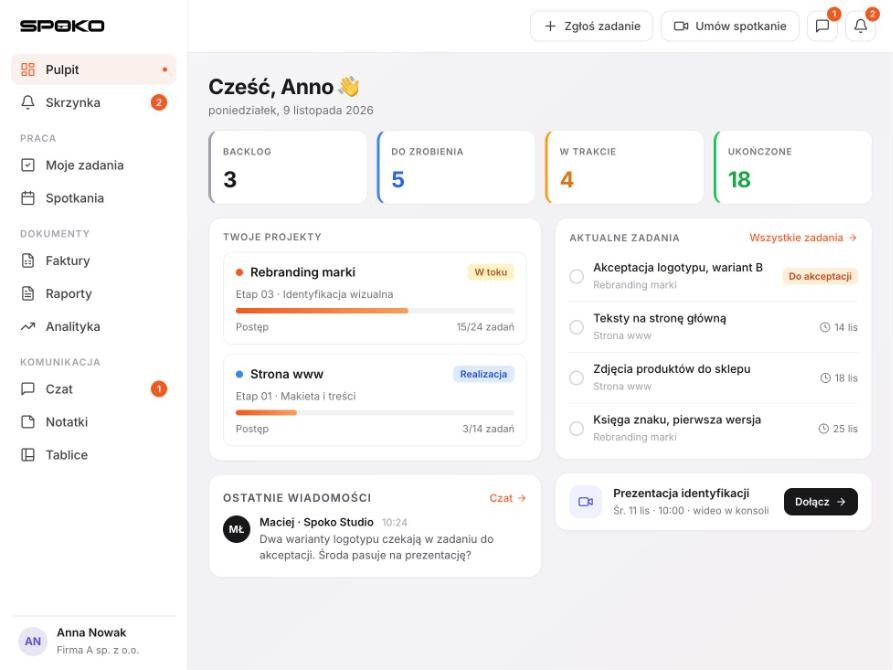
Projects, tasks and boards, PDF and online quotes, invoices with reminders, chat, video calls and an AI assistant in one console. Clients have their own portal in it, and the team has a desktop app.
projects · quotes · invoices · chat and video · client portal
Four stages, first version in 2–6 weeks. After each stage you get something you can check, before you pay for the next one.

We talk to the people who will work in the system. We map out what happens today in emails and spreadsheets.
You getthe scope, roles and a quote for the first stage

We design the main screens and test them with your team before the first line of code is written.
You geta clickable mock-up and a list of decisions

We start with the most important module and the parts we already have ready. A test version runs throughout the build, so you check it on real examples.
You geta test version at every stage

We move your data over from Excel, train the team and stay on with monitoring, backups and new modules.
You geta working system under your brand
You do not see this on the first screen. Without it a system will not last a year, so we plan it at the start, not at the end.
Everyone sees what they need for their work. Management sees rates and margins, clients see only their own records.
Interface, notifications and documents in several languages in one system. For teams and clients abroad.
Statuses, approvals and tasks that move on by themselves when someone clicks. With a reminder when something sits too long.
Email, WhatsApp and in-app notifications when something is waiting for a decision. Everyone chooses what they want to hear about.
We connect the system to the software you already use. Your own API with access keys for partners and AI assistants.
Every change with a date and an author. You know who changed what and when, even a year later.
You talk to the people who design and build it. No account manager who just forwards emails.
My Spoko App is the software side of Spoko Studio, an agency for big projects. The studio creates brand identities, websites and campaigns, so our systems look like part of your brand and your PDF quotes go out with your logo and colours.
Meet Spoko Studio
Experienced graphic designer and art director. Creates complete visual identity systems for demanding clients. Designs with the people who will use them in mind.

Marketing strategist with more than ten years of experience. Responsible for creative direction and project effectiveness, builds strong B2B and B2C brands, including international ones.
A few typical starting points. Your system will be different, because it grows out of your processes. Where we already have a live rollout, we say so.
Jobs, fleet and drivers on one timeline. Trailer bookings without clashes, transport documents and notifications for clients.
Live rolloutbookings · jobs · client portalStock levels updated with every movement, material reserved for each job and time tracked at each workstation. A warning before something runs out.
stock · jobs · time trackingInvitations, guest lists, check-in at multiple desks and live stats. After the event, a report and data deletion.
Live rolloutinvitations · check-in · statsJobs for technicians on their phones, photos and the client’s signature on site. The service report is in the system right after the visit.
field jobs · service reports · invoicesProjects, tasks, time tracking, quotes and invoices with payment reminders. Chat and client meetings in one place.
Live rolloutprojects · quotes · chat and videoTick the modules that sound familiar and tell us what you do in Excel and email today. We reply within 24 hours with questions and a proposal for the first stage.